


SMMGen
SMMGen

SMM Panel API —
Automate Every Order,
Scale Without Limits

SMMGen's SMM panel API connects your website, reseller panel, or custom system directly to our service catalog. Place orders, check delivery status, query your balance, and retrieve the full service list programmatically. No manual login required per order.

Trusted by

79,000+ Users

SMM panel API — automate orders and scale your reseller business
What is an SMM panel API — developer using SMMGen API for automated order placement

What Is an SMM Panel API?

An SMM panel API (Application Programming Interface) is a technical bridge between your system and SMMGen's backend. Instead of logging into the dashboard to place each order manually, your system sends an automated request to SMMGen's server. The server processes the order and returns a response with the order ID and status.

Everything that happens inside the SMMGen dashboard can happen through the API. Placing orders, checking status, cancelling eligible orders, retrieving your account balance, and pulling the full service catalog with live pricing — all available programmatically.

This is the tool that makes an SMM reseller business scalable. Manual ordering has a ceiling. The API removes it.

Who Uses the SMMGen API?

  • Resellers With Their Own Panel Website

    If you operate a reseller website where clients place orders directly, the SMMGen API handles fulfillment automatically. When a client orders on your site, your system forwards the request to SMMGen via API. Delivery starts. Status updates return to your dashboard in real time. You never touch the order manually.

    This is the technical foundation of the white label SMM panel model.

  • Agencies Managing Multiple Client Accounts

    Agencies using automation tools, internal dashboards, or project management systems can connect those tools to SMMGen via API. Orders for multiple client accounts process simultaneously without manual input per order. Real-time status tracking keeps your team informed without logging in.

  • Developers Building Custom Tools

    Developers building custom SMM ordering interfaces, Telegram bots, Discord bots, or browser extensions use the SMMGen API to power service delivery. Any application that needs to place social media orders programmatically can connect through the API.

  • Wholesale Buyers Ordering at Volume

    Users accessing wholesale SMM panel pricing process hundreds or thousands of orders per month. At that volume, manual ordering through the dashboard is not practical. The API is the only viable approach at scale.

Getting Your SMMGen API Key

Your API key is available inside your SMMGen dashboard.

01

Create a free account at smmgen.com/signup if you do not have one

02

Log in to your dashboard

03

Navigate to the API section in your account settings

04

Copy your unique API key

Keep your API key private. Do not include it in public code repositories or client-facing interfaces. Anyone with your API key can place orders against your account balance.

Connecting the SMMGen API to Your Panel

Most white label panel software supports SMMGen's API format out of the box. PerfectPanel, BoostPanel, and most common SMM scripts use the same standard endpoint and parameter structure that SMMGen supports.

Log in to your panel admin dashboard

Navigate to the provider or API settings section

Enter the SMMGen API endpoint URL

Paste your SMMGen API key

Run a service sync to import the full catalog

Set your markup on each service category

Save and test with a small order

Most setups complete in under 30 minutes. If you encounter any issues during integration, contact our team at smmgen.com/contact-us. Our support team assists with API connection queries around the clock.

How the SMMGen API Works — The Technical Overview

Request Format

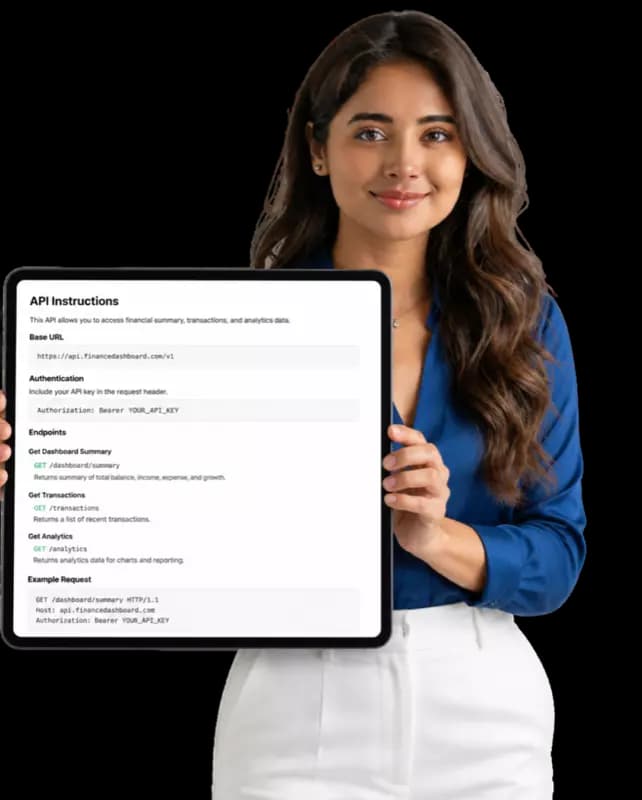
SMMGen's API uses standard HTTP POST requests with JSON responses. Every request requires your unique API key for authentication. The API key identifies your account and ensures requests are authorized.

A basic order placement request contains four required parameters:

KeyYour unique API key from your SMMGen dashboard
ActionThe action to perform (add, status, cancel, services, balance)
ServiceThe service ID from the SMMGen service catalog
QuantityThe number of units to order
LinkThe public URL of the profile or post
SMMGen API technical overview with developer holding tablet

SMMGen API

Available API Actions

  • 01

    add

    Places a new order. Returns an order ID.

  • 02

    status

    Returns the current status of an existing order including charge, start count, remains, and status label (pending, in progress, completed, partial, cancelled).

  • 03

    cancel

    Cancels an eligible order. Returns a list of cancelled order IDs.

  • 04

    services

    Returns the full SMMGen service catalog including service IDs, names, categories, types, rates, minimum and maximum quantities.

  • 05

    balance

    Returns your current account balance and currency.

Order Status Labels

When you call the status action, the response includes one of the following status labels:

  • Pending

    Order received, queued for processing

  • In progress

    Delivery is actively running

  • Completed

    Order delivered in full

  • Partial

    Order partially delivered, remainder refunded

  • Cancelled

    Order cancelled before delivery began

API Best Practices for Resellers

Field-tested rules for keeping your integration reliable and secure at scale.

  • 01

    Test with small orders first

    Before routing live client orders through the API, place a few small test orders and verify the status responses are coming back correctly.

  • 02

    Sync the service catalog regularly

    Use the services action daily to keep your panel's catalog accurate. SMMGen updates pricing and adds new services regularly.

  • 03

    Store order IDs

    Every order placed via the API returns a unique order ID. Store this in your database so you can check status and handle refunds or cancellations efficiently.

  • 04

    Handle partial completions

    Some orders deliver partially due to the target account being private or the post being deleted. Your system should handle partial status responses and process refunds accordingly.

  • 05

    Use HTTPS on your side

    All API calls to SMMGen use HTTPS. Ensure your own server also uses HTTPS to protect the API key and order data in transit.

  • 06

    Do not expose your API key publicly

    Store your key in environment variables or a secure configuration file. Never commit it to a public code repository.

Frequently Asked Questions About the SMMGen API

Start Automating With the SMMGen API Today

Create a free account, get your API key, and connect to 9,000+ services across every major platform. Orders process automatically. Balance updates in real time. No per-request fees.