

How to Repurpose One Piece of Content Across 7 Social Media Platforms
Save time and grow faster in 2026 - learn how to repurpose one piece of content into carousels, Reels, TikToks, Shorts, Pins, threads, and LinkedIn articles.
With multiple social media accounts, businesses, creators, and marketers can find it exhausting to produce fresh content daily. Successful brands are content repurposers rather than idea manufacturers. Turning one good piece of content into multiple formats helps you reach a wider audience, save time and stay consistent online. Combine it with a reliable smm panel and you have a repeatable growth system for 2026.
What is Content Repurposing?
Content repurposing means taking one piece of content and adapting it for different platforms without creating everything from scratch. You can repurpose:
- Blog posts
- Videos
- Podcasts
- Webinars
- Infographics
- Case studies
- Customer testimonials
The Significance of Repurposing Content
There are several benefits beyond time savings. Key benefits include:
- Faster content production
- Greater audience reach
- Improved brand consistency
- Better ROI on your content marketing efforts
- Increased engagement opportunities
- Reduced creative burnout
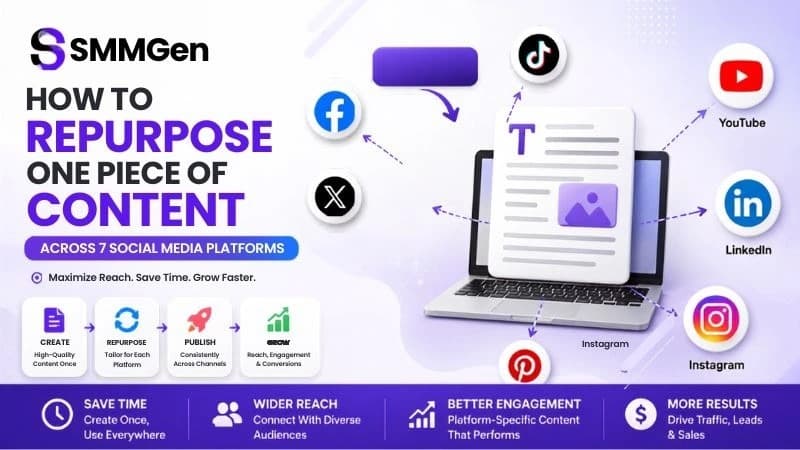
How to Repurpose One Piece of Content Across 7 Social Media Platforms
1. Start With a High-Value Piece of Content
The most suitable content to repurpose is educational, informative, or evergreen. Good ideas include:
- Blog articles
- How-to guides
- Product tutorials
- Industry tips
- Customer success stories
2. Turn It Into an Instagram Carousel
Instagram users love visual, easy-to-read content. Convert your content into:
- Step-by-step slides
- Tips and tricks
- Infographics
- Before-and-after comparisons
- Educational graphics
A 1,500-word blog can be transformed into a 10-slide Instagram Carousel.
3. Share It on Facebook
Facebook is useful for community engagement and storytelling. Make your content more adaptable by:
- Writing a shorter summary
- Using a question to prompt discussion
- Adding relevant images
- Linking back to your website
- Encouraging comments
4. Convert It Into a LinkedIn Article
LinkedIn audiences look for educational, professional content. Focus on:
- Industry insights
- Business lessons
- Case studies
- Expert opinions
- Practical advice
5. Make a Short TikTok Video
Video remains dominant on social. Rewrite your article into:
- Quick tips
- Myth vs. fact videos
- Tutorials
- Behind-the-scenes clips
- Educational explainers
Include a strong hook in the first few seconds. For a side-by-side comparison of the three biggest short-form platforms, see YouTube Shorts vs TikTok vs Instagram Reels: Which Platform Should You Prioritize?
6. Design a Pinterest Pin
Pinterest is more of a visual search engine than a social network. Create:
- Vertical graphics
- Infographic Pins
- Step-by-step guides
- Quote graphics
- Product idea Pins
Optimise titles and descriptions with keywords to boost visibility. For a full playbook, read Pinterest SMM Panel: The Untapped Platform Most Marketers Are Missing in 2026.
7. Make an X (Twitter) Thread
Instead of one long tweet, split it across several. Include:
- Key insights
- Statistics
- Actionable tips
- Short examples
- A final takeaway
8. Create a YouTube Short
Short videos deliver content very effectively. Repurpose into:
- 30–60 second tutorials
- Quick facts
- Industry tips
- Frequently asked questions
- Product demonstrations
Multiple Shorts can be created from a single blog. To see why Shorts monetize faster, read how YouTube Shorts can monetize faster than long videos.
9. Accelerate Repurposing With AI
Using AI tools can make repurposing much quicker. AI can help with:
- Caption writing
- Video scripts
- Graphic ideas
- Headline generation
- Hashtag suggestions
- Content summaries
For a complete workflow, see How to Use SMM Panel + AI Tools Together to 10x Your Content Output in 2026.
Schedule Everything in Advance
Schedule content after you've adapted it for each platform. Scheduling helps consistency and lets you focus on engagement. Advantages of scheduling include:
- Consistent publishing
- Better time management
- Improved campaign planning
- Easier team collaboration
- Reduced daily workload
Publish across a few days or weeks — for example, blog on Monday, Instagram carousel on Tuesday, LinkedIn article on Wednesday, TikTok on Thursday, YouTube Short on Friday.
Monitor Performance on Different Platforms
Repurposing isn't only publishing; it's also learning what works best. Monitor:
- Reach
- Engagement
- Shares
- Click-through rate
- Video watch time
- Website traffic
Common Mistakes to Avoid
Many creators simply copy-paste content on every platform. Avoid these mistakes:
- Using identical captions everywhere
- Ignoring platform-specific formats
- Posting without optimization
- Forgetting keywords and hashtags
- Not updating visuals
- Failing to monitor performance
Conclusion
Reworking existing content is one of the best strategies to build your online profile without producing a mountain of content. Producing numerous types of media from a single strong idea helps you connect with different audiences, standardize your message, and maximize value. Whether you're managing a business, a personal brand, or a marketing campaign, customizing content for seven different platforms will save time and boost visibility, engagement, and long-term content performance.